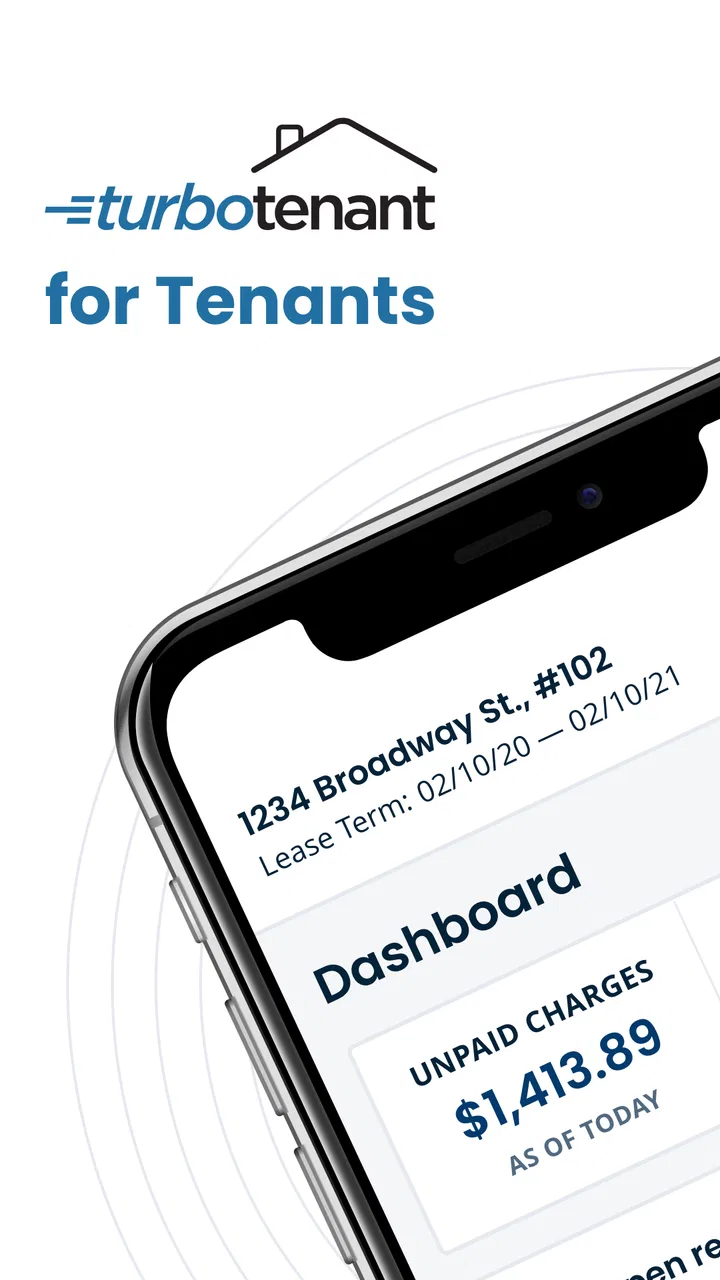
TurboTenant for Renters
- 4.7
- Rating
- 100.00K
- Installs
- Free
- Price

 Analysis by App-foxy
Finding and managing a rental from a phone sounds simple until the process spreads across messages, browser tabs, saved screenshots, and reminders. TurboTenant for Renters is designed to bring that renter-side activity into one mobile experience. I found its strongest idea in the convenience of handling rental tasks while away from a computer, rather than treating the phone app as a smaller copy of a desktop website.
That focus makes it most interesting for people who are actively looking for a place and want to keep their search moving during ordinary parts of the day. I can imagine checking a listing during a commute, returning to it later, and keeping the next step in the same general workflow instead of starting over in a browser. The app is free, developed by TurboTenant, and aimed at renters rather than property managers. Its Everyone age rating also makes the audience broad, although the actual usefulness depends much more on your current housing situation than on age.
One renter-focused place to keep the search moving
The central capability is mobility. TurboTenant’s app is built around renting on the go, so the practical benefit is not that it magically makes a rental decision for you. It reduces the friction between noticing a possible home and taking the next sensible action. That distinction matters: a rental app is valuable when it helps me stay organized and responsive, but it still requires careful judgment about the property, the landlord, the location, and the terms.
You May Also Like

 Blood Strike: 2.5 Anniversary
Blood Strike’s Loadouts Turn Every Drop Into a Tactical Gamble
A close look at Blood Strike’s custom loadouts: how fast access to signature weapons reshapes its battle royale rhythm, rewards preparation, and narrows the gap between fights.

 Pandora - Music & Podcasts
Pandora’s Music Is Easy to Start, but Harder to Recover
Pandora’s strength is its low-effort path from a seed to a station. Its weak spot is how much confidence it asks you to place in connection, setup, and quiet recovery.

 8 Ball Pool
 Is Built on Rivalries, Rematches, and Routine
A close look at the rivalries, rematches, shared routines, and unanswered safety questions that turn a quick pool match into a persistent mobile community.

 Samsung Music
’s Quiet Strength Is Playing What You Already Own
Its reach comes less from spectacle than from dependable access to a personal library. That simplicity is both the app’s strongest retention engine and its ceiling.

 AccuWeather: Weather Radar
AccuWeather Review: A Quick, Clear Forecast for Everyday Decisions
For everyday plans, the best forecast is the one you can understand quickly. AccuWeather makes rain timing, radar, and local conditions easy to act on, with a few trade-offs.

 Hill Climb Racing
Why Hill Climb Racing Still Turns Crashes Into One More Run
A tiny car, a bumpy hill and one more upgrade: Hill Climb Racing keeps resurfacing because its simple chaos makes every near-miss feel personal.
More From Our News Desk
View All News


In my experience, the best way to use this kind of tool is as a working space for an active search, not as a replacement for checking a home in person. I would use it to review opportunities when I have a few spare minutes, compare promising options, and keep my attention on the next step. I would not treat an attractive listing or a smooth mobile interface as proof that a property is suitable.
The app has attracted an average rating of 4.6 from around 4.2 thousand ratings, with more than 100 thousand installs. Those figures suggest that the renter-focused approach is connecting with a meaningful audience, but they do not remove the need to see whether the workflow fits the way you search. Some renters want a single app to guide them through a process; others prefer a broad marketplace, direct contact, or a spreadsheet they control themselves.
What the mobile approach changes
The biggest change is timing. On a computer, I tend to search when I have deliberately set aside time. On a phone, rental research can happen in smaller sessions. That is useful in a competitive market where waiting until the evening may mean losing interest in a property or forgetting an important detail. A mobile-first workflow makes it easier to act while the information is still fresh.
There is also a mental advantage to separating rental work from general browsing. A dedicated renter app gives the search its own place, which can make it easier to return to the task rather than relying on memory. This is especially helpful when several properties begin to blur together. I recommend writing a quick note immediately after viewing a listing or having a conversation, because the app should support your decisions, not become the only record of them.
One non-obvious trade-off is that convenience can encourage rushed decisions. A phone makes it easy to move quickly, but rental choices involve details that deserve slower reading. I would use the app for discovery and follow-up, then switch to a more deliberate review before committing to anything. That two-stage habit is more reliable than assuming speed is always an advantage.
How I would use it during a real search
Imagine I am looking for a new apartment while working full time. During lunch, I open the app and review a promising option. Instead of trying to remember the address, the rent, and the questions I want to ask, I treat that moment as the beginning of a small workflow: inspect the available information, decide whether the property deserves attention, and prepare the next action while the listing is still in front of me.
Later, I return to the app before contacting the property. This second look is important because first impressions can be misleading. I would compare the advertised details with my actual requirements: move-in timing, acceptable location, space, and any deal-breakers. If the home still looks suitable, I would continue the renter process from the phone. If it does not, I would move on rather than letting one attractive photo consume more time.
That approach reveals one of the app’s practical strengths: it can shorten the distance between browsing and doing. The useful habit is not simply opening the app often. It is using each short session for a clear purpose—screening, revisiting, preparing questions, or deciding to discard an option.
I would also keep a separate personal checklist for anything that needs verification. For example, I would record questions about utilities, deposits, maintenance responsibility, parking, noise, and the surrounding area. These are the kinds of details that can determine whether a rental works in daily life, yet they should never be assumed from a polished listing. TurboTenant for Renters can help keep the search active, but it cannot replace a careful conversation or a visit.
The best scenario for this app
This app makes the most sense for a renter who is already searching and needs flexibility. It is particularly well suited to someone who checks housing options throughout the day, dislikes juggling several browser tabs, or wants a renter-oriented mobile experience rather than a tool designed mainly around property owners.
A realistic example would be a person relocating for work. They may have limited time in the new city, so they use the app between appointments to review possibilities and keep a shortlist moving. When they finally visit properties, they can use their earlier research to ask sharper questions instead of starting from scratch. The app’s value in that situation is continuity: small actions taken on the phone can build toward a more informed decision.
It can also help a renter who shares the search with a partner or housemate, provided both people agree on how to compare options. I would not rely on memory alone when several people are involved. A simple shared note with the app’s rental information, personal observations, and follow-up questions can prevent the common problem of one person remembering the kitchen while another remembers the commute.
For a first-time renter, the mobile format may feel approachable because it keeps the task close at hand. Still, I would pair it with independent learning about leases and local rental practices. A convenient app can make the process less intimidating, but it should not be mistaken for personal legal or financial advice.
Where the usual alternatives may be better
Compared with general property-search websites, a renter-focused app can feel more direct because its purpose is clearer. General marketplaces may offer a wider mix of housing information or a larger browsing environment, while TurboTenant’s appeal is the renter-centered flow and the ability to continue the search from a phone. Which is better depends on whether you value breadth or a more focused experience.
Compared with contacting landlords directly through email or phone, the app is more convenient for keeping the early search organized, but direct communication can be better when you already know exactly which property you want. A phone call may answer a specific question faster, especially when the issue is personal or time-sensitive. I see the app as a bridge to that conversation, not a reason to avoid it.
A spreadsheet remains a strong alternative for people who like complete control. It is better for custom scoring, detailed budgeting, commute calculations, and notes from property visits. The downside is the manual work: you have to collect and update everything yourself. TurboTenant for Renters is more convenient for the rental-focused part of the process, while a spreadsheet is more adaptable once your comparison becomes complicated.
There is no single best tool for every stage. I would use the app to keep opportunities moving, a notes system to capture personal observations, and direct communication to verify the details that affect the final decision. That combination is less glamorous than expecting one app to do everything, but it is more realistic.
Trade-offs I noticed in the mobile workflow
The first limitation is screen size. Rental information is easier to skim on a phone than to study. If a listing contains several conditions or lengthy descriptions, I prefer slowing down and reading carefully rather than making a decision from a quick glance. The app is convenient for access, but convenience is not the same as depth.
The second is the risk of fragmented planning. A renter may use the app for listings, messages for conversations, a calendar for appointments, and personal notes for budgets. That is normal, but it means the app will not automatically become the complete record of the move. I recommend choosing one place for your final comparison and copying over the details that matter, including your own impressions after viewing a property.
The third is suitability. If I am only casually curious about rents, I may not gain much from installing a dedicated renter app. Its value rises when I have a real search underway and expect to revisit options. Likewise, someone who already has a trusted direct relationship with a landlord may find a general communication method more efficient for that particular rental.
Privacy and caution also deserve attention whenever housing information is handled on a phone. I would avoid sending sensitive documents or personal details until I understand who I am dealing with and why the information is needed. The app can be part of a legitimate rental workflow, but good digital hygiene still matters. I would verify the property, the contact, and the terms independently before making payments or sharing anything unusually sensitive.
Another useful trade-off concerns responsiveness. Mobile access can help me react quickly, but reacting quickly is only beneficial when the opportunity is genuine and the information is clear. My rule would be to move fast on harmless steps such as reviewing or asking questions, and slow down for commitments involving money, identity, or a lease.
Small habits that make the app more useful
My first tip is to separate “interesting” from “suitable.” When I see a property I like, I would ask whether it meets my non-negotiable needs before spending time on every attractive detail. This prevents the app from turning into an endless collection of appealing but impractical homes.
My second tip is to revisit listings at two different times. The first pass is for quick screening; the second is for deliberate checking. That simple pause helps expose missing information and reduces the chance that a good photograph will outweigh an inconvenient location or unclear condition.
My third tip is to prepare questions before contacting anyone. Instead of sending a vague message, I would list the points that affect my choice and ask them in a compact, polite way. This makes the next exchange more useful and gives me a clearer basis for comparing properties.
My fourth tip is to record the reason for rejecting a property. That may sound unnecessary, but it stops me from returning to the same unsuitable option later. A short note such as “too far from work” or “timing does not fit” can save repeated browsing when the search becomes busy.
Finally, I would treat the app as an active tool rather than a passive feed. The best results come from setting a specific goal for each visit: find candidates, eliminate weak matches, prepare a message, or review the next appointment. That habit turns mobile access into practical progress.
Who will get the most from it
TurboTenant for Renters is a good match for active renters who want a free, phone-based way to stay engaged with their search. It is especially appealing if you are often away from a computer, are comparing several possibilities, or prefer a renter-oriented environment over a property-management interface.
I would also recommend trying it if you are relocating, searching under time pressure, or sharing the process with another person. In those situations, the ability to return to rental information in short sessions can make the process feel more manageable. The current version is 4.0.11, and the app supports devices running Android 7.0 or later, so compatibility is worth checking before planning your workflow around it.
On the other hand, I would skip it if you are not currently looking for a rental, if your preferred property already comes through a direct channel, or if you want a highly customized financial comparison system. A spreadsheet, calendar, email thread, or broader marketplace may serve those needs better. The app is most useful when its focused renter workflow matches the stage you are in.
Its free price removes an obvious barrier to trying it, and the Everyone rating makes it broadly accessible. Even so, I would judge it by whether it saves me effort during a genuine search, not simply by whether it installs easily. The right question is: does it help me make the next rental decision with less friction and better notes?
My overall view is positive, with a clear boundary. TurboTenant for Renters is not a substitute for inspecting a home, checking a lease, verifying a contact, or building a realistic budget. What it does well is keep the renter’s side of the search available when life is happening away from a desk. Its real strength is continuity: turning scattered moments of searching into a more deliberate rental workflow.
If that is the problem you are trying to solve, I think it is worth trying. I would use it alongside careful research and personal notes, not instead of them. For an active renter who wants to stay organized while moving through the day, the app offers a sensible, focused way to keep the search moving without pretending that convenience can replace judgment.
FAQs for TurboTenant for Renters
01What is TurboTenant for Renters and how does it work?
TurboTenant for Renters is a comprehensive app designed to streamline the rental process for tenants. It allows users to search for available properties, submit rental applications, and communicate directly with landlords. The platform also offers features like secure document sharing and online rent payments, making it a one-stop solution for renters seeking convenience and efficiency.
02Is TurboTenant for Renters free to use?
Yes, TurboTenant for Renters is free for tenants to use. You can browse listings, submit applications, and communicate with landlords without any cost. However, some landlords may require a small fee for background checks or credit reports during the application process, which is a standard practice in the rental industry.
03How secure is my personal information on TurboTenant for Renters?
TurboTenant for Renters prioritizes user security by implementing robust encryption methods to protect your personal information. The app ensures that sensitive data, such as financial and identification details, are kept secure. Additionally, the platform only shares necessary information with landlords during the application process, safeguarding your privacy.
04Can I pay my rent through TurboTenant for Renters?
Yes, TurboTenant for Renters offers a convenient online payment feature that allows you to pay your rent directly through the app. This feature supports various payment methods, including credit/debit cards and ACH transfers, providing a hassle-free way to manage your monthly rent payments while ensuring all transactions are secure and documented.
05What should I do if I encounter issues with TurboTenant for Renters?
If you experience any issues while using TurboTenant for Renters, the app provides a dedicated support team to assist you. You can reach out through their customer service portal or email for prompt assistance. Additionally, the app offers a comprehensive FAQ section and user guides to help resolve common issues independently.
Pros
- Easy application process for renters.
- Comprehensive tenant screening included.
- Secure document storage feature.
- User-friendly interface for all ages.
- Real-time application status updates.
Cons
- Limited customization in application forms.
- No in-app communication with landlords.
- Occasional app performance lags.
- Requires internet for most features.
- Limited property search filters.

TurboTenant for Renters
Gallery